The WB Health OPD Ticket Booking system allows patients to create an outpatient ticket online for participating government hospitals and medical colleges across West Bengal.
The important part is choosing the correct hospital and department. An online ticket created for one hospital or specialty cannot simply be used for another OPD after reaching the hospital. Patients should therefore check the hospital name, department and visit date carefully before submitting the booking.
The same West Bengal Health portal also provides access to online test reports and ABHA creation, making it useful for patients who need more than just an OPD ticket.
For patients visiting busy institutions such as SSKM/IPGMER, NRS Medical College, RG Kar Medical College or Medical College Kolkata, completing the available online ticket process before travelling can reduce the amount of registration work required after arrival.
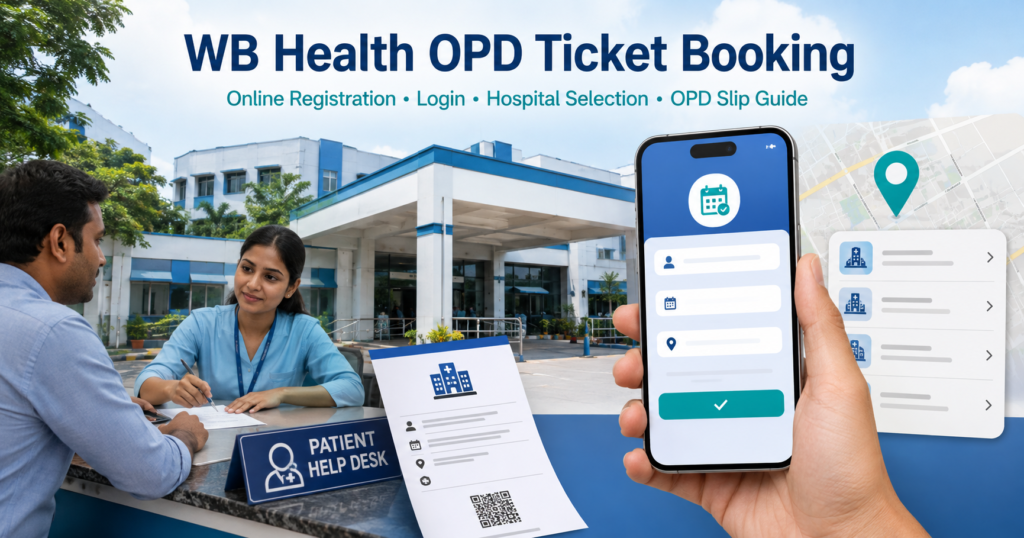
WB Health OPD Ticket Booking 2026: Key Details
The online ticket facility is operated by the Health & Family Welfare Department, Government of West Bengal.
| WB Health OPD Detail | Information |
|---|---|
| Service | Online OPD Ticket Booking |
| Department | Health & Family Welfare Department, West Bengal |
| Patient type | New and existing patients |
| Login/verification | Mobile-based verification where required |
| Hospital selection | Available during booking |
| Department selection | Available according to hospital |
| OPD ticket | Generated after successful booking |
| Test reports | Separate online facility available |
| ABHA | Creation facility available |
| Main WB Health website | Official state health portal |
| Booking portal | Online HMIS portal |
| WB Health helpline | 033-2357-6000 |
The exact hospitals, departments and appointment dates visible to a patient depend on what is currently enabled inside the booking system.
Official WB Health OPD Ticket Booking Website
Patients can directly use the Government of West Bengal’s online HMIS portal:
The portal currently provides three major patient services:
- Online Ticket Booking
- Online Test Report
- Create ABHA
For broader West Bengal Health Department information, notices and healthcare services, the main official website is:
For routine OPD booking, patients should normally start with the Online Ticket Booking option on the HMIS portal rather than searching for unofficial appointment websites.
How WB Health Online OPD Ticket Booking Works
The WB Health system creates an OPD ticket for the selected patient, hospital, department and visit date.
The process generally involves:
- Opening Online Ticket Booking
- Patient/mobile verification
- Entering patient details
- Selecting the hospital
- Selecting the appropriate department
- Choosing the available visit date
- Reviewing the details
- Confirming the ticket
- Saving the generated OPD ticket
The fields shown can vary depending on the hospital and the patient-registration stage.
The online ticket should be saved on the phone even if the patient plans to carry a printed copy.
How to Book WB Health OPD Ticket Online in 2026
Step 1: Open the Online HMIS Portal
Visit:
https://onlinehmis.wbhealth.gov.in
Choose Online Ticket Booking.
Do not choose Online Test Report if the purpose is to register for a doctor consultation; that option is meant for retrieving supported investigation results.
Step 2: Start Patient Verification
Enter the mobile or patient information requested by the portal.
If OTP verification appears, use a mobile number that the patient or accompanying family member can access during the booking process.
Step 3: Enter Patient Details
Complete the patient information displayed on the form.
This can include details such as:
- Patient name
- Age/date of birth
- Gender
- Mobile number
- Address
- Existing patient details where applicable
Use the details of the person who will actually visit the OPD.
Step 4: Select the Government Hospital
Choose the hospital where treatment is required.
Government institutions available through West Bengal’s online health system can include major medical colleges and hospitals such as:
- SSKM Hospital / IPGMER
- NRS Medical College & Hospital
- RG Kar Medical College & Hospital
- Medical College Kolkata
- Other participating government medical colleges
- District hospitals
- Other government health facilities
The live portal list should be treated as the final indication of whether a particular hospital is currently available for online ticket generation.
Step 5: Select the Correct OPD Department
After selecting the hospital, choose the required specialty.
Depending on the hospital, departments can include:
- General Medicine
- General Surgery
- Orthopaedics
- Dermatology
- ENT
- Ophthalmology
- Paediatrics
- Obstetrics & Gynaecology
- Psychiatry
- Cardiology
- Neurology
- Pulmonary/Respiratory Medicine
- Other specialty OPDs
Not every hospital offers every department through the same online booking screen.
Step 6: Choose the Visit Date
Select an available OPD date for the chosen department.
If a date is unavailable, possible reasons include:
- Online capacity is full
- Department OPD is not held that day
- Booking has not opened for the date
- Hospital schedule has changed
- A holiday affects routine OPD
- That service is not currently accepting online tickets
Do not select an unrelated department simply because it has an earlier available date.
Step 7: Review Patient and Hospital Details
Before confirmation, check:
- Patient name
- Hospital
- Department
- Date
- Mobile number
- Other patient details
A wrong hospital or department can make the ticket unusable for the intended consultation.
Step 8: Confirm the OPD Ticket
Submit the booking after verifying all details.
Wait until the portal confirms successful ticket generation.
Step 9: Save the OPD Ticket
Download the ticket if the option is provided.
Also take a screenshot showing important information such as:
- Patient name
- Hospital
- Department
- Visit date
- Registration/ticket reference
- Reporting details, where displayed
Keep this copy until the hospital visit is complete.
Information to Check on the WB Health OPD Ticket
Do not close the booking page immediately after receiving the ticket.
Check the generated OPD ticket for:
| Ticket Detail | What to Check |
|---|---|
| Patient name | Correct spelling |
| Hospital | Correct government hospital |
| Department | Correct specialty |
| OPD date | Correct visit date |
| Registration number | Save for reference |
| Token/serial number | If generated |
| Reporting information | Follow if displayed |
| Patient details | Should match the person attending |
A screenshot is particularly useful when the browser PDF or download cannot be located later.
New Patient Registration Through WB Health OPD
A patient visiting a hospital for the first time may need to create a new patient record during the online or hospital registration process.
Keep basic details ready, including:
- Full name
- Age/date of birth
- Gender
- Mobile number
- Address
- Government ID where requested
After the first hospital visit, preserve any patient ID, registration number, OPD card or hospital number issued by the institution.
Those details can be important during follow-up treatment.
Existing and Follow-Up Patients
Patients who have previously received treatment at the same hospital should carry their earlier hospital records.
Useful documents include:
- Previous OPD ticket
- Hospital registration number
- Old prescription
- Discharge summary
- Investigation reports
- Doctor’s follow-up instruction
If the treating doctor has written a specific department, clinic or return date on the previous prescription, follow that instruction rather than booking an unrelated fresh OPD.
Which WB Health OPD Department Should You Select?
Patients who already have a referral should select the department written on that referral.
For common OPD requirements:
| Patient Requirement | Department Commonly Used |
|---|---|
| Fever, weakness or general adult illness | General Medicine |
| Bone or joint problem | Orthopaedics |
| Skin condition | Dermatology |
| Ear, nose or throat problem | ENT |
| Eye condition | Ophthalmology |
| Child health problem | Paediatrics |
| Pregnancy/women’s health | Obstetrics & Gynaecology |
| Surgical consultation | General Surgery |
| Heart-related condition | Cardiology |
| Brain or nerve condition | Neurology |
| Mental-health consultation | Psychiatry |
| Lung/respiratory condition | Respiratory Medicine |
Department names can differ slightly between hospitals.
A specialty being visible on one hospital’s booking page does not mean it is available through every government hospital in West Bengal.
WB Health OPD Ticket for SSKM Hospital
Patients searching for SSKM Hospital online OPD ticket booking should look for the relevant SSKM/IPGMER hospital entry inside the live West Bengal health booking system.
After selecting the hospital, choose the department required for the consultation and complete the ticket process for an available OPD date.
Do not book NRS, RG Kar or Medical College Kolkata merely because the required SSKM slot is unavailable; each ticket is associated with the selected hospital.
WB Health OPD Ticket for NRS Medical College
Patients visiting Nil Ratan Sircar Medical College & Hospital (NRS) should select the NRS hospital entry where available and then choose the appropriate department.
A previous NRS prescription or patient number should also be carried during follow-up visits.
WB Health OPD Ticket for RG Kar Medical College
For RG Kar Medical College & Hospital, select the correct hospital entry first and then the required department.
If a patient has already been treated at RG Kar, carry the existing registration information rather than relying only on the newly generated online ticket.
WB Health OPD Ticket for Medical College Kolkata
Patients attending Medical College Kolkata should choose that hospital specifically during online registration.
Because Kolkata has several large government teaching hospitals, checking the hospital name before submitting the ticket is especially important.
Documents to Carry After Booking a WB Health OPD Ticket
An online ticket does not replace the medical records needed by the doctor.
| Document | Purpose |
|---|---|
| Online OPD ticket | Confirms booking |
| Government ID | Identification where requested |
| Previous OPD card | Existing patient record |
| Previous prescription | Follow-up treatment |
| Referral | Specialist consultation |
| Blood-test reports | Clinical review |
| CT/MRI/X-ray reports | Relevant specialist review |
| Discharge summary | Previous hospital admission |
| Current medicine list | Review of ongoing treatment |
Children should attend with the parent or guardian responsible for their registration and medical records.
What to Do After Reaching the Hospital With an Online Ticket
The exact hospital-side process can vary, but an online ticket does not always mean direct entry into the doctor’s room.
After reaching the selected hospital:
- Keep the online OPD ticket ready.
- Follow signs for the selected department.
- Complete verification if the hospital requires it.
- Present the ticket at the appropriate counter or OPD area.
- Follow the serial/token system used by that department.
- Keep previous reports ready for consultation.
The ticket reduces the need to start the complete registration process from scratch, but individual hospitals can still have their own verification and patient-queue arrangements.
WB Health Online Test Report
The same online HMIS platform provides a separate Online Test Report service.
Patients who have already undergone an investigation at a supported West Bengal government facility can open:
https://onlinehmis.wbhealth.gov.in
and choose Online Test Report.
The report system may ask for patient or investigation information associated with the test.
Keep:
- Hospital registration number
- Patient ID
- Investigation receipt
- Sample/test information
- Registered mobile number
until the report has been received.
Not every investigation necessarily appears online, and availability can depend on the hospital and laboratory service used.
WB Health ABHA Creation
The Online HMIS portal also provides a Create ABHA option.
ABHA stands for Ayushman Bharat Health Account and provides a digital health identifier.
Patients who want to create an ABHA can use the separate ABHA option on the portal.
ABHA creation and OPD ticket booking are related digital health services but should not be treated as the same process. A patient looking only for an OPD ticket should use Online Ticket Booking.
Is Aadhaar Mandatory for WB Health OPD Booking?
Patients should not assume that Aadhaar is the only possible way to begin every WB Health OPD booking.
The live booking form should be followed for the identification details currently requested.
Aadhaar or another identity document may still be useful or required during hospital verification, so carrying valid identification during the OPD visit is sensible.
Can You Book a WB Health OPD Ticket for a Family Member?
A family member can help complete the booking by entering the actual patient’s details.
For example, a parent can handle the booking for a child or another family member can assist an elderly patient.
Make sure that:
- Patient name belongs to the person receiving treatment
- Correct age is entered
- Correct gender is selected
- The chosen hospital is correct
- Department matches the treatment requirement
- An accessible mobile number is used
Do not accidentally create the ticket in the caregiver’s name.
WB Health OPD Ticket Not Downloading
If the ticket is generated but does not appear in the Downloads folder:
- Check the browser’s download history
- Look for a PDF
- Check the phone’s Files/Downloads folder
- Take a screenshot if the booking remains visible
- Save the registration/ticket number
- Check SMS notifications
Avoid immediately creating another ticket if the first booking has already succeeded.
OTP Not Received During WB Health OPD Booking
If the OTP does not arrive:
- Recheck the mobile number
- Confirm that the phone has network coverage
- Wait briefly before requesting another OTP
- Use the newest OTP if multiple messages arrive
- Restart the login process if the session expires
Repeated OTP requests in a short period can create confusion when several codes arrive together.
WB Health Portal Is Not Opening
The online portal may occasionally load slowly or become temporarily unavailable.
Patients can try:
- Reloading the page once
- Opening it in an updated browser
- Switching between mobile data and Wi-Fi
- Closing an expired booking session and reopening the portal
- Trying again after a temporary service interruption
Do not enter personal information into a similarly named unofficial site just because the government portal is temporarily slow.
Hospital or Department Not Showing
If the intended hospital does not appear in the booking list, possible reasons include:
- It is not currently enabled for that booking route
- Online service is temporarily unavailable
- The hospital uses another registration workflow
- The selected service/category is incorrect
If the hospital appears but the required department does not, that department may not currently be open for online booking.
The live portal list should take priority over an old article listing hospitals or departments.
No OPD Date or Slot Available
If no suitable date appears:
- Check whether another date is open
- Verify that the correct hospital was selected
- Verify the department
- Check whether the department operates only on selected days
- Use the hospital’s walk-in registration process where available
Booking an unrelated department simply to obtain a ticket can send the patient to the wrong OPD after arrival.
Can a WB Health OPD Ticket Be Cancelled?
Appointment-management options can vary by the service and hospital.
If cancellation, modification or another appointment-management option appears for the existing booking, use that facility.
Do not assume that every ticket can be freely edited after generation.
If plans change and the portal does not offer modification, check the current patient-service options before generating another booking.
Is WB Health OPD Online Booking Free?
There is generally no separate charge simply for accessing the online booking portal.
However, this should not be confused with hospital charges.
A particular government hospital can still have applicable charges for:
- OPD registration
- Investigations
- Imaging
- Procedures
- Medicines
- Admission
- Other clinical services
Those charges depend on the hospital and service rather than the act of opening the online ticket portal.
WB Health OPD Booking Helpline
For West Bengal Health Department assistance, the official portal lists:
Help Line: 033-2357-6000
The Health & Family Welfare Department is based at:
Swasthya Bhawan
GN-29, Sector V
Salt Lake City
Kolkata, West Bengal
For a hospital-specific question such as a doctor schedule, department location or an existing patient record, contacting the hospital itself may be more useful than the state-level portal helpline.
FAQs
What is the official WB Health OPD ticket booking website?
The official online HMIS patient portal is:
https://onlinehmis.wbhealth.gov.in
Choose Online Ticket Booking for OPD registration.
What is the main West Bengal Health Department website?
The official Health & Family Welfare Department website is:
How do I book a WB Health OPD ticket online?
Open Online Ticket Booking, complete patient verification, enter the patient’s details, select the hospital and department, choose the available date, confirm the information and save the generated ticket.
Do I need to register separately before booking?
The portal guides the patient through the required identification/registration process. Follow the fields displayed for new or existing patients.
Can I book SSKM Hospital OPD online?
Where the relevant SSKM/IPGMER service is listed on the live WB Health booking system, select it and then choose the required department.
Can I book NRS Hospital through WB Health?
NRS Medical College & Hospital can be selected when it is available in the live hospital list for the booking service.
Can I book RG Kar OPD online?
Use the live portal and select RG Kar Medical College & Hospital where available, followed by the required department.
Can I book Medical College Kolkata OPD online?
Select Medical College Kolkata from the hospital list where it is offered through the current online ticket service.
Can I book an OPD ticket from my mobile phone?
Yes. The online HMIS portal can be accessed through a mobile browser.
Can I book for my child or another family member?
A parent or family member can assist with the process, but the actual patient’s details should be used on the OPD ticket.
Is Aadhaar compulsory?
Follow the identification fields displayed by the current portal. Carrying government identification during the hospital visit is useful even when another verification method is accepted online.
What should I carry to the hospital?
Carry the online OPD ticket, identification where required, previous hospital card, referral and relevant medical reports.
Does an online OPD ticket provide direct doctor consultation?
Not necessarily. Hospitals can still use verification counters, serial numbers, tokens and department-specific patient queues after arrival.
Why is my preferred hospital not showing?
The hospital may not currently be enabled for that booking service or may use a different patient-registration process.
Why is the department not available?
Online booking may not be enabled for that department, its slots may be full, or it may operate on selected days.
Can I download West Bengal government hospital test reports online?
The Online HMIS portal provides a separate Online Test Report service for supported investigations.
Can I create an ABHA through WB Health?
Yes. The same portal currently provides a separate Create ABHA option.
Is WB Health online OPD booking free?
Accessing the booking service does not normally carry a separate portal-booking charge, but hospital-specific registration, tests or treatment charges may still apply.
What is the WB Health helpline number?
The main Health & Family Welfare Department helpline listed on the official portal is 033-2357-6000.
WB Health OPD Ticket Booking in 2026
For a WB Health OPD ticket in 2026, the most important part of the booking is matching the patient with the correct government hospital, department and OPD date.
Use https://onlinehmis.wbhealth.gov.in/ for Online Ticket Booking and save the generated ticket before closing the page. Patients returning to the same hospital should also keep their previous registration number, OPD card and prescription so that the new visit remains connected with the existing treatment record.
The same online portal can also be used to access supported test reports and create an ABHA, while the main Health & Family Welfare Department website at https://www.wbhealth.gov.in/ remains the central source for broader West Bengal government health information.